Why Construction Site Geofencing and Engine Hours Reports Often Fail to Match
Why Construction Site Geofencing and Engine Hours Reports Often Fail to Match
If you're managing a project or a fleet, you've probably heard the pitch: automate site tracking, get perfect usage billing. Then you run the reports. The geofence log and the engine hours never line up. It's frustrating, it causes disputes, and frankly, it costs you money.
What Geofencing with Engine Hours Reporting Actually Means
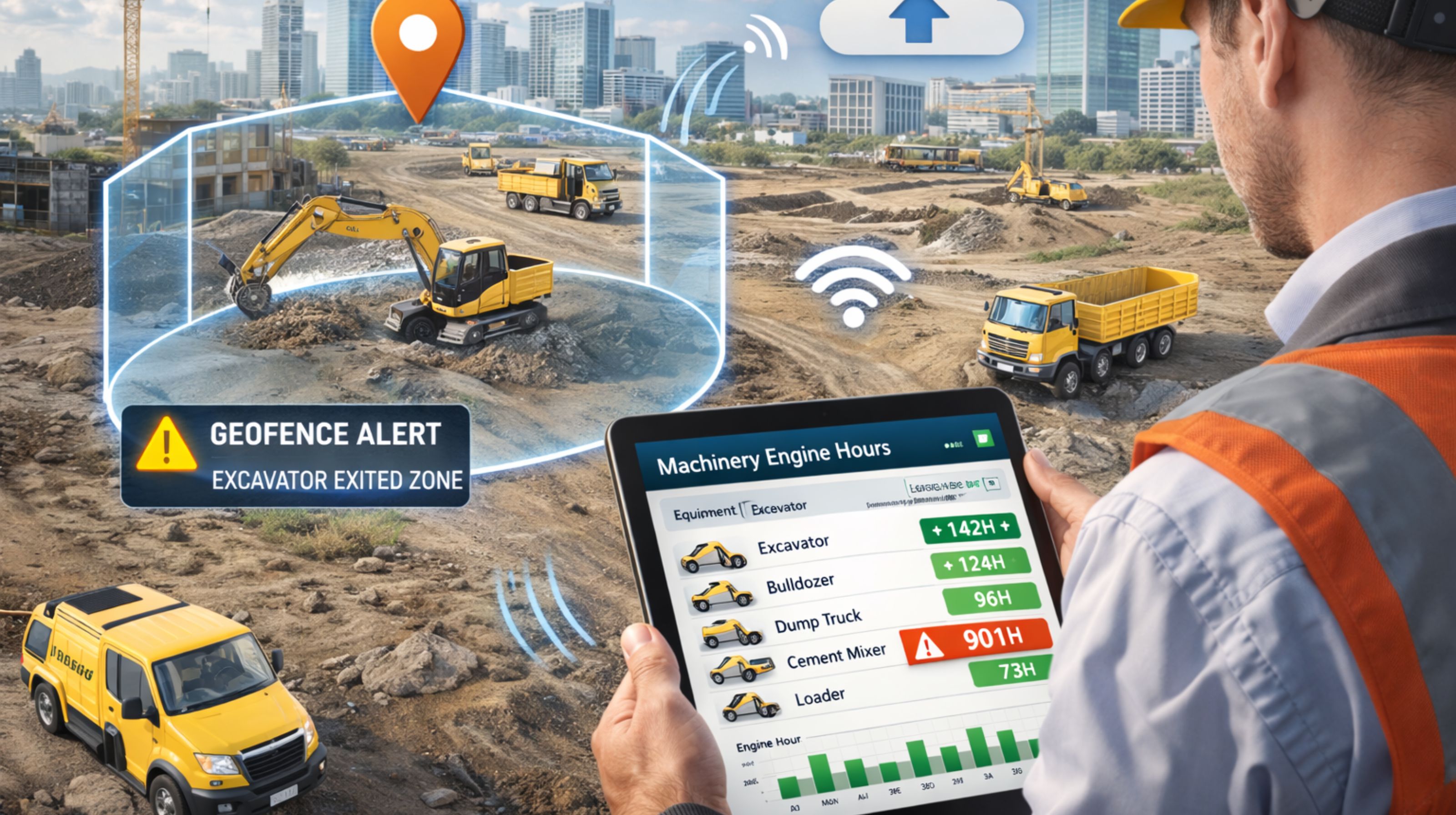
Technically, it's setting up a virtual fence on a map using GPS coordinates and tying that to a box on your machine that records runtime—usually when the ignition is on. The goal is simple: auto-confirm the asset was on-site and spit out a clean report of its working hours for the client, for your costing, or for maintenance. In the real world, it's a messy handoff between where the machine says it is and what its engine is doing.
The On-Ground Reality for Heavy Equipment
On a real site, GPS signals get weak. Think deep trenches or next to that giant crane. The location pings drift, so your loader might show outside the fence while it's actually right there, running. Meanwhile, that engine hour counter is ticking away during the operator's lunch break idling, or when the machine was warming up in the yard at 6 AM. So you pull a report: 8 engine hours, but only 6.5 hours inside the geofence. Now you've got a problem to explain before you even send the invoice.
Common Mistakes and Costly Assumptions
The biggest risk is trusting the data too much. Assuming these two streams sync up perfectly is a mistake. Another one is billing for all engine hours as if they were productive work, ignoring idle time. And a classic operational error: drawing the geofence too tight around the work area. Machines move, they toggle in and out of the zone constantly, which shreds your reports and floods everyone with "exit" alerts. After a week, nobody pays attention to the alerts anymore.
How to Scope a Reliable Tracking System
To make this work, you have to accept where basic GPS tracking falls apart—anywhere the sky view is bad. The tricky part is in the setup: tweaking how often the device reports its location ("heartbeat") and defining what actually counts as an engine hour. Is it just ignition-on, or does it need to see RPMs? Your next step depends on what you need. If you have to prove an excavator was actually digging, not just idling on-site, you need data from its hydraulic system. For pulling all this together across a mixed fleet—getting the alerts right and the reports to make sense—you're looking at a dedicated platform. Something like proper fleet management software is built to handle these mismatches.
FAQ
Can geofencing track equipment inside a building or underground garage?
No. Standard GPS won't work there. You'd need a whole different type of tracking tech for that, which is a separate project.
Do engine hours reports differentiate between idling and working under load?
Most basic telematics units don't. To get that, you need a device that can tap into the machine's computer (CAN-bus) or has a specific sensor for RPM or PTO engagement.
How accurate are geofence entry and exit timestamps for billing?
They can be off by a few minutes, easy. GPS pings on a schedule, and signals lag. My advice? Use the geofence to confirm presence, but pull your billable hours from the engine runtime logged *while* the machine was inside the fence.
What's the biggest cause of discrepancy between the two reports?
Signal loss, hands down. A dozer working down in a cut, or a truck under an overpass—its engine hours keep recording, but the GPS drops out. That creates a hole in the geofence log you can't get back.
Can I create a geofence for multiple sites and get a combined engine hours report?
You can, but the reporting has to be smart about it. The system needs to slice the engine hour data by the time spent inside *each specific* fence to assign hours to the right job. You'll likely need custom reporting tools to do that cleanly.
Will this work for rented equipment without modifying it?
Usually, yes. A lot of modern GPS tracking devices are temporary. Plug into the OBD-II port or stick a magnetic case on the roof. Rent it, track it, return it.
How do I handle disputes with subcontractors over reported hours?
Show them the data. Get a system that lets you give portal access so they can see the same map trail and engine run graph you're seeing. The summary report is one thing, but the raw data behind it usually settles the argument.
When is it time to upgrade from basic tracking?
When the mismatches are causing regular billing headaches, or when you need to know if a machine was actually working, not just on. That's when you need data that's more integrated. A provider like gps controller tackles this by linking more precise geofencing alerts with deeper performance monitoring.


Comments
Post a Comment